|
Convert WAV to MP4
|
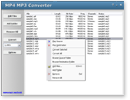
MP4 MP3 Converter converts WAV to MP4
and supports more than 100 audio and video files. The software also supports
batch conversion.
- Free Download MP4 MP3
Converter
- Install the software by instructions
- Launch MP4 MP3 Converter
- Choose WAV Files
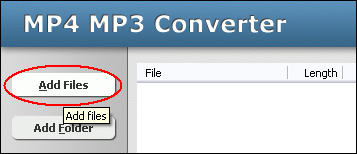
Click "Add Files" button to choose WAV files and add them
to conversion list.
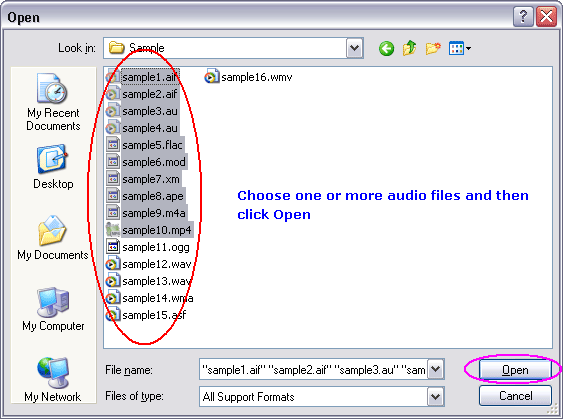
Choose one or more WAV files you want to convert.
- Choose "to MP4"
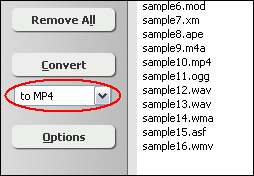
- Convert WAV to MP4
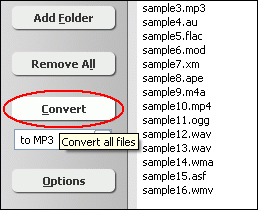
Click "Convert" to convert all WAV files into MP4 format.
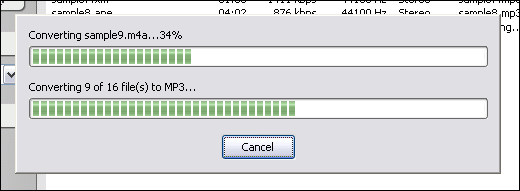
The software is converting WAV files into MP4 format.
- Play & Browse
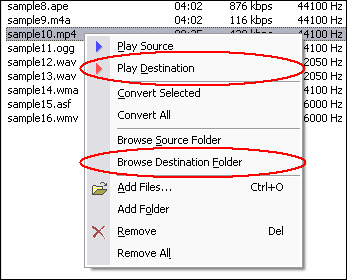
Right-click converted item and choose "Play Destination" to play
the destination file, choose "Browse Destination Folder" to open
Windows Explorer to browse the destination file.
- Done
Top
What is WAV?
WAV (or WAVE), short for Waveform audio format, is a Microsoft and IBM audio file
format standard for storing an audio bitstream on PCs. It is a variant of the
RIFF bitstream format method for storing data in "chunks", and thus
also close to the IFF and the AIFF format used on Amiga and Macintosh computers,
respectively. It is the main format used on Windows systems for raw and typically
uncompressed audio. The default bitstream encoding is the Microsoft Pulse Code
Modulation (PCM) format.
What is MP4?
MPEG-4 Part 14, formally ISO/IEC 14496-14:2003, is a multimedia container format
standard specified as a part of MPEG-4. It is most commonly used to store digital
audio and digital video streams, especially those defined by MPEG, but can also
be used to store other data such as subtitles and still images. Like most modern
container formats, MPEG-4 Part 14 allows streaming over the Internet. The official
filename extension for MPEG-4 Part 14 files is .mp4, thus the container format
is often referred to simply as MP4.
Convert WAV to MP4 Related Topics:
MP4 to WAV,
M4V to AAC,
M4V to M4A,
M4V to M4B,
AC3 to MP4,
ADX to MP4,
APE to MP4,
FLAC to MP4,
M4B to MP4,
MO3 to MP4,
MPC to MP4,
SND to MP4,
SPX to MP4,
TTA to MP4,
UMX to MP4,
XM to MP4
|